Your event ended three weeks ago. The recordings sit unwatched, the attendee list is going cold, and the community you spent a year assembling is already scattering across LinkedIn and email threads. If you are a conference organizer, a publisher, an association leader, or anyone else whose work produces content and gathers people, this is the problem that quietly eats most of what you create.
Listen: Alani Connect: Product Overview and Usability Guide (9 min)
Alani Connect exists to stop that slide. It is how the HumanX AI conference turned one event's content into a community of more than 500 self-onboarded members with zero paid acquisition, and it is available to any content owner. This guide covers what it is, how every surface works, and why it changes the economics of content and community.
Turn your content into a living, searchable, AI-native community.
What Alani Connect Is
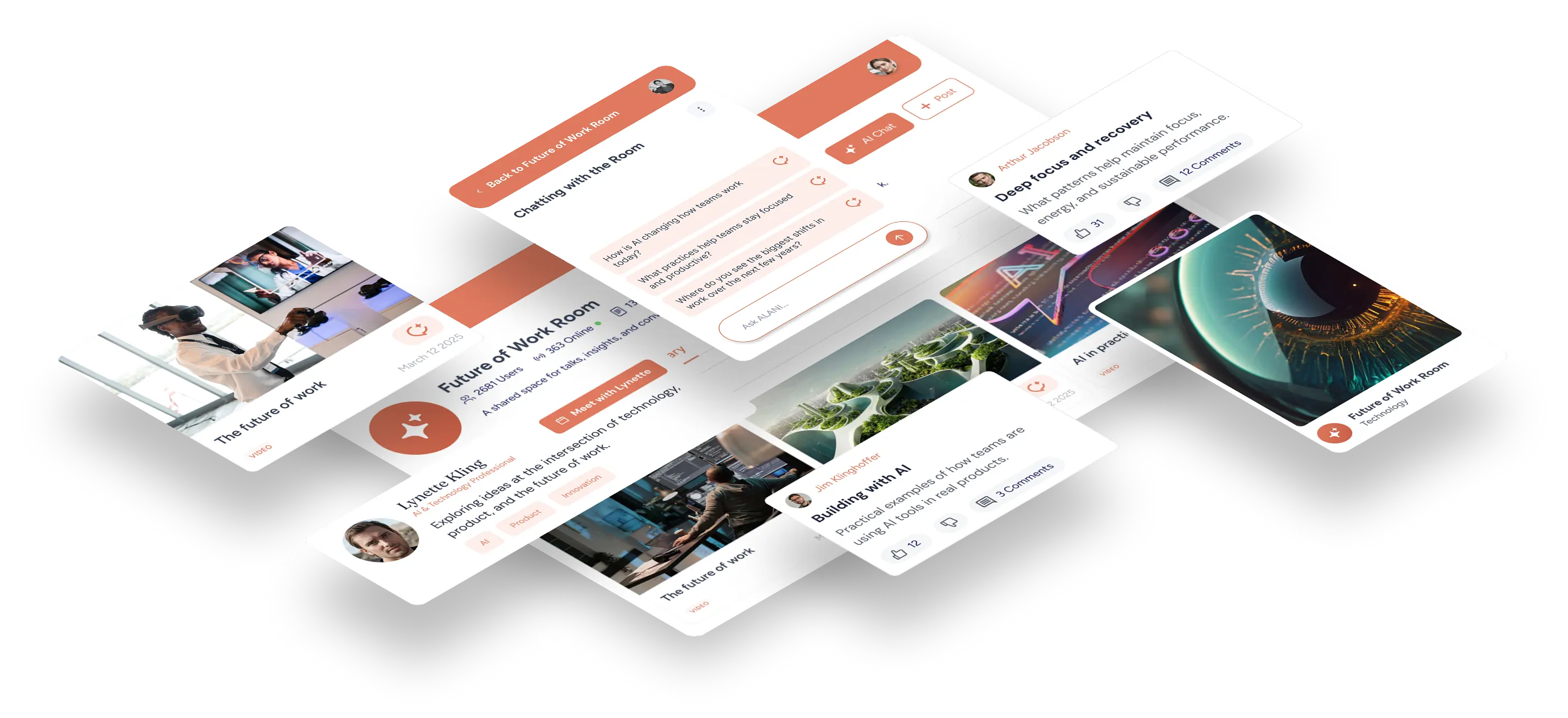
Alani Connect is a branded content and community platform that transforms your media library into an interactive, AI-powered destination. Whether you run a conference, publish a media property, lead an association, host a podcast, or manage a research community, Alani Connect ingests your content, extracts structured knowledge from it, and wraps it in a community experience where your audience can search, chat, discover people, and stay engaged long after the original moment passes.
Every Alani Connect deployment is a room: a branded workspace that carries your identity, your content, and your members. Inside the room, an AI assistant trained on everything you have published answers member questions conversationally, a knowledge graph organizes every person, company, and idea mentioned across your library, and a social layer keeps the community active between content drops.
At its core, Alani Connect answers a question every content owner faces: what happens to all this content and all these people after the moment passes? The answer, historically, has been "not much." Alani Connect makes your content perpetually useful and keeps your community perpetually connected.
Why It Matters: The Problem It Solves
For room owners
Events, publications, and programs produce enormous value that evaporates quickly. A multi-day conference generates dozens of hours of keynotes, panels, and pitch sessions. A publisher produces a deep archive of interviews and analysis. Attendees and readers form connections, then everyone disperses, the content gets uploaded somewhere hard to search, and the community scatters across LinkedIn and email threads.
Alani Connect captures that value and compounds it:
- Content becomes an asset, not an archive. Every video and document is transcribed, summarized, and mined for people, organizations, products, decisions, quotes, risks, action items, and insights. A single 44-minute session can yield nearly 100 searchable knowledge items.
- Your community lives in a place you own. Members self-onboard into your branded room, creating a persistent, owned audience rather than a rented one on social platforms. In one live customer deployment, the HumanX AI conference room grew to over 500 members entirely organically, with zero customer acquisition cost.
- Engagement is measurable and ongoing. Feed posts, chat activity, and library views give you a continuous signal of what your audience cares about between events or issues.
- New revenue surfaces open up. A room full of high-intent professionals interacting with your content creates natural opportunities for sponsorship, membership, and marketplace models.
For your members
- Ask instead of scrub. Rather than scrubbing through hours of video to find one moment, a member simply asks the AI and gets a sourced answer drawn from your entire library.
- Find the right people. The community directory and knowledge graph make it easy to identify who to talk to, whether that is a founder, an investor, or a policy leader mentioned in your content.
- Continuous learning. New content and posts flow into the feed, so the value of joining grows over time instead of expiring when the event or issue ends.
How It Works: A UI/UX Walkthrough
An Alani Connect room is organized around a persistent left sidebar with six primary destinations: Home, Chat History, Library, Knowledge, Feed, and Community. Your brand anchors the top of the sidebar, the member's identity anchors the bottom, and a prominent "New Chat" button sits above the navigation, signaling that conversation with the AI is the primary interaction model.
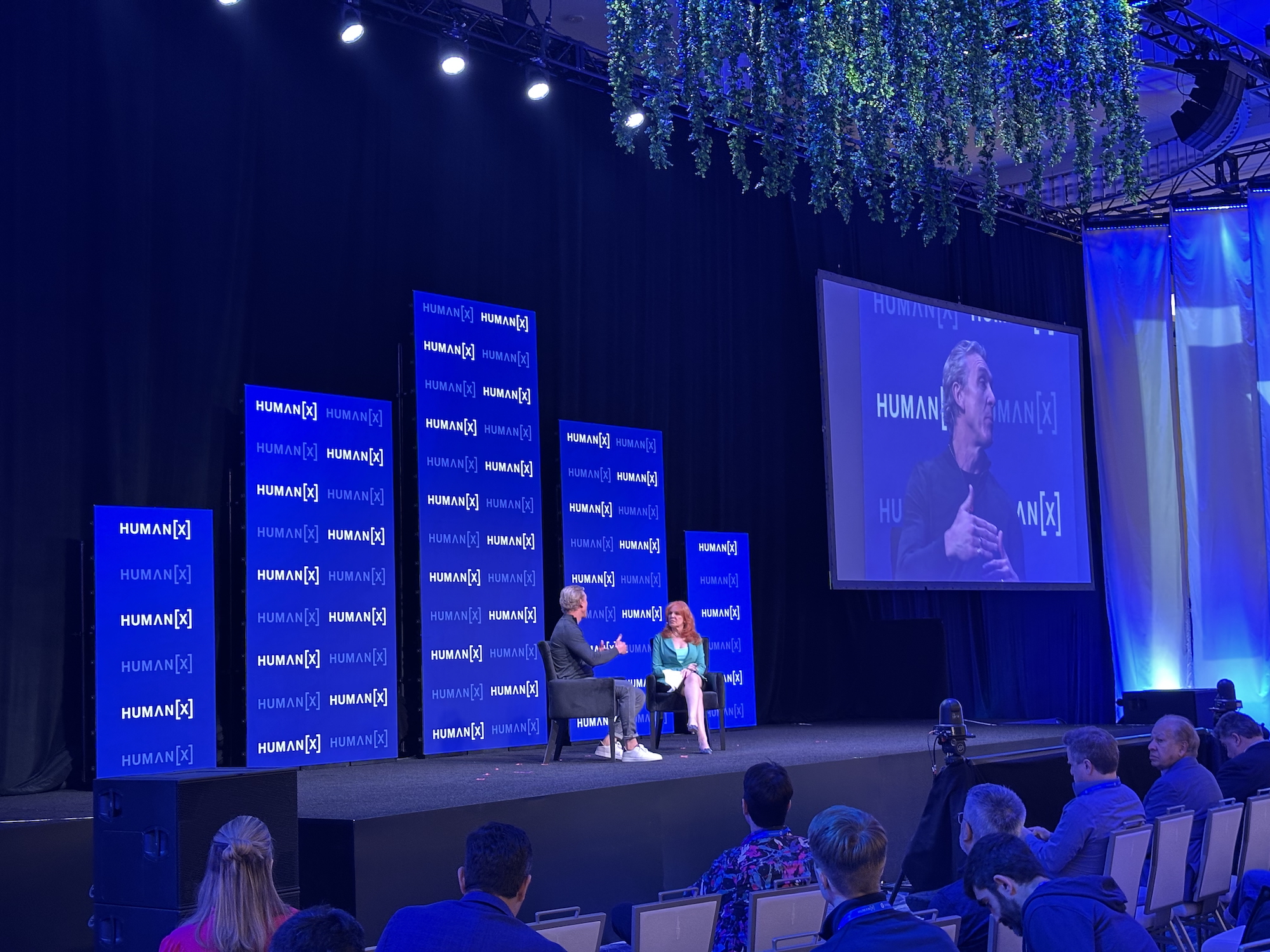
The examples below come from a live production room operated by HumanX, one of the leading AI industry conferences, which uses Alani Connect to serve its attendee community year-round.
Home: The Conversational Front Door
The home screen greets each member by name and centers a single input: "Ask [your brand] anything..." This is a deliberate design choice. The room leads with the AI assistant rather than a content grid, because the fastest path to value is asking a question.
Below the input, the interface scaffolds the experience for new or returning members:
- Suggested prompts show what the AI can do, generated from your actual room content. These lower the blank-page barrier and teach members the depth of questions the system can handle.
- Recent activity surfaces the latest library upload, membership growth, and feed posts, each with a count of additional items. This gives members an at-a-glance pulse of the room and one-tap entry points into each section.
A disclosure line ("AI-generated content may be inaccurate. Verify important information.") sets appropriate trust expectations.
Typical use: A member lands on Home, types a question about a session or article they missed, and gets an answer synthesized from your content, with the option to go deeper into the sources.
Chat and Chat History: Conversation as the Primary Interface
Every question starts a chat, and every chat is saved. The Chat History view lists past conversations with titles drawn from the opening query and timestamps, with search across all chats.
Real member questions from the HumanX room tell the usability story better than any spec:
- "who in here should i talk to"
- "give me quotes from someone from nvidia"
- "what was said about data governance and politics"
- "i need to find people in VC"
- "tell me about ai in education"
Members ask in plain, casual language, the same way they would ask a well-informed colleague who consumed every piece of your content and met every member. The system handles people discovery, content recall, quote extraction, and topic synthesis through one consistent interface. The sidebar shows recent chats with a "See all" link, so returning to an earlier thread takes one click.
Typical use: A member preparing for a follow-up call reopens a chat from two weeks ago and continues where they left off.
Library: The Content Backbone
The Library holds your room's full media collection, displayed as a card grid with thumbnails, titles, and dates. Controls are minimal and familiar: newest/oldest sorting, filters, and a search bar that spans all room content. An "AI Mode" toggle on the search bar lets members shift from keyword lookup to conversational retrieval without leaving the page.
Clicking into an item opens a detail page with three layers:
- The content itself, with a standard player for video and audio.
- A summary that captures the piece's argument in a few readable sentences, expandable via "See more."
- Extracted knowledge, the differentiating layer. The platform displays processing metadata (document type, language, sentiment, extraction model, extraction date) and then organizes everything mined from the content into filterable categories: People, Organizations, Locations, Products, Events, Terms, Metrics, Statements, Recommendations, Decisions, Risks, Evidence, Questions, Quotes, Action Items, Topics, and Insights. Each extracted entity carries a confidence score, and people are shown with role and company.
This transforms a video from a passive asset into structured, queryable data. A single session page becomes a mini research dossier.
Typical use: A member watches ten minutes of a session, then jumps to the extracted Quotes and Action Items instead of watching the remaining half hour.
Knowledge: The Room-Wide Graph
Where each library item has its own extraction, the Knowledge section aggregates everything extracted across your entire room into one browsable, searchable index. In the HumanX room, 595 library items produced a knowledge base of 500 entities: 21 speakers and referenced people, 98 organizations, 70 metrics, 56 statements, 50 topics, 32 insights, and more.
The UX is a filterable chip interface. A member can tap "People" to see every speaker and referenced individual across your full library, complete with roles, companies, and confidence scores. Tapping "Organizations" reveals the complete corporate landscape of your content.
This is effectively an automatically generated knowledge graph of everything you have published. No one tags this content by hand. The system builds the index from your transcripts.
Typical use: A business development lead browses the Organizations list to map which companies appear in your content, then asks the AI what each one discussed.
Feed: The Community Pulse
The Feed is a lightweight social layer where you and your members post updates. Posts support @everyone mentions for announcements, link previews with rich cards, likes, comments, and shares. Sorting tabs (New, Popular This Week, Popular All Time) keep both recency and greatest hits accessible.
In practice, the feed functions as an engagement engine for content drops. HumanX uses posts like "NEW videos added: 31 total videos were just added to the library" and "Search through the library or click 'New Chat' and ask anything about the content." Notice how the posts themselves teach the interaction model, directing members back to the AI chat.
Typical use: A member gets notified of a new content drop, taps through from the feed, and starts a chat about the new material.
Community: The People Layer
The Community directory lists every member as a card with avatar, name, and role or title, searchable by name, role, or organization. In a professional room, that spectrum runs from founders and executives to strategists and operators.
Combined with the AI chat, the directory becomes more than a list. Because members ask questions like "who in here should i talk to," the AI can reason over your member base, not just your content. This is networking as a queryable service.
Typical use: A member searches the directory for a specific role, cross-references what those people or their companies said in your content via the Knowledge section, and reaches out with genuine context.
For members working the live event itself, ConferenceCRM is the natural companion: capture the people you meet on the conference floor, then use the room's Knowledge section to research what they and their companies have actually said before you follow up.
The Design Philosophy Behind the UX
Several deliberate patterns run through the interface:
Chat-first, browse-second. Every screen offers a path back to conversation. The home page is a prompt box, the library has an AI Mode, and feed posts direct members to ask the AI. Browsing (Library, Knowledge, Community) exists for orientation; asking is the power tool.
Progressive depth. Each surface offers a skimmable layer (cards, chips, summaries) with structured depth one click away (full extractions, confidence scores, source content). Members choose their altitude.
Familiar patterns, novel substance. The UI vocabulary is entirely conventional: sidebar navigation, card grids, chip filters, social feed. Nothing needs to be learned. What is novel is the substance underneath, an extraction pipeline that turns raw media into a structured, conversational knowledge base. The interface spends zero novelty budget on layout so all of it can go to capability.
Transparency builds trust. Confidence scores on every extracted entity, visible processing metadata, and an accuracy disclaimer on AI answers give professional users the signals they need to calibrate reliance.
Your brand, not ours. The room carries your identity, your logo, your name, and your content, so the community feels like an extension of your brand rather than a third-party tool.
Why This Matters for Content and Community
The content industry has a distribution problem and a memory problem. Distribution has been ceded to platforms publishers do not own, and memory has barely been addressed at all: the insight inside a keynote or feature story is functionally lost the moment it scrolls out of view.
Alani Connect addresses both:
- Owned distribution. Your room is your destination, with your membership, your feed, and your data. Audience relationships are direct rather than mediated by someone else's algorithm.
- Compounding memory. Every piece of content you add makes your room smarter. The knowledge graph grows, the AI's answers get richer, and your archive appreciates in value instead of depreciating.
- Community as retention. Content brings people in; people keep people in. The directory, feed, and people-aware AI make your room a place members return to between content drops and between events.
- A foundation for new business models. A room that knows what its members ask about, which organizations they research, and which content they revisit holds structured intent signal. That signal is the basis for sponsorships, marketplaces, and partnerships that generic video hosting can never support.
The HumanX deployment demonstrates the model working in production: 519 self-onboarded members, 595 library items, a 500-entity knowledge graph, and an active feed, all generated from one conference's content with no paid acquisition. The same architecture applies to any content-rich community: media brands, associations, accelerators, research networks, education programs, and beyond.
Summary
Alani Connect takes the two most valuable but most perishable assets a content owner produces, content and community, and makes them durable, searchable, and interactive. Your members get a knowledgeable AI companion, a structured knowledge base, and a professional network in one branded space. You get an owned audience, compounding content value, and a continuous engagement channel. The interface is familiar enough to require no onboarding, and powerful enough that members' own questions ("who in here should i talk to") reveal a product category that did not exist before: the AI-native community room.
Frequently Asked Questions
What is Alani Connect?
Alani Connect is an AI community platform that turns your content library into a branded, interactive room. It ingests your videos and documents, extracts structured knowledge from them, and gives your audience an AI assistant, a knowledge graph, a social feed, and a member directory in one place.
Who is Alani Connect for?
Conference and event organizers, media brands and publishers, associations, accelerators, podcasts, research networks, and education programs. If your work produces content and gathers people, it fits.
How does the AI answer member questions?
The assistant is trained on everything published in your room. When a member asks a question, it synthesizes an answer from your library and points back to the sources, so answers stay grounded in your content rather than the open internet.
Do members need training to use it?
No. The interface uses patterns everyone already knows: a chat box, a card grid, chip filters, and a feed. Members ask questions in plain language, and real usage shows they do exactly that from day one.
What does it take to launch a room?
Your content and your brand. Upload the library, and the transcription, extraction, and knowledge graph are generated automatically. Members self-onboard from there.
Ready to see what your content and community become in a room of your own?
Ready to put your information to work?
Pick a product. Start free or talk to our team.