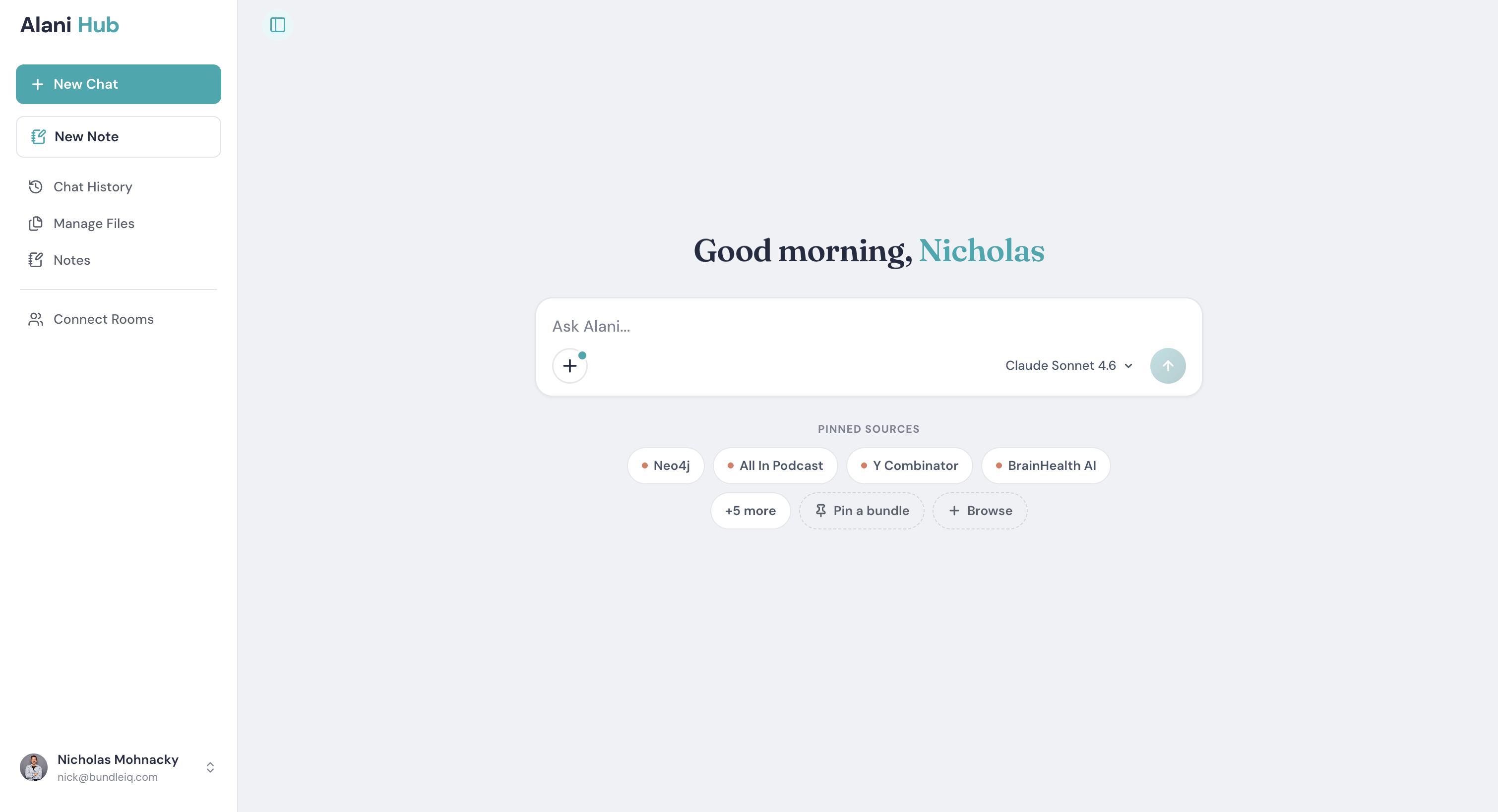
You signed up for Alani Hub, opened it, and landed on a blank chat box. Now what?
That blank box is where most people stall. The tool is powerful, but power with no starting point feels like work. This guide fixes that. In about ten minutes you will go from an empty workspace to a private, searchable knowledge base you can actually question, and you will know which features matter on day one and which can wait.
Here is the first session, step by step.
Step 1: Choose your AI model
On the Alani Hub homepage, before you type anything, pick the model you want to chat with. Alani Hub gives you several in one place: OpenAI, Claude (Anthropic), and Minimax today, with Gemini and Grok coming soon. You are not locked into one vendor. If an answer feels off, switch models and ask again. For most research and writing tasks, Claude or OpenAI is a safe default.
Step 2: Bring in your first sources
An AI is only as useful as what it can see, so give Alani something to work with. Open Manage Files in the left sidebar and add your material. Alani Hub accepts a wide range: PDFs, text, Markdown, images, audio files, YouTube videos, entire YouTube channels, and website URLs.
Two fast ways to start:
- Upload a few files you already have. A handful of PDFs or reports from a current project is plenty. You do not need to upload everything at once.
- Add a website as a source. Click Browse in the sidebar, add a site you follow (a publication, a blog, a company newsroom), and save it. It is now pinned to the front of your chat, ready to question whenever you need it.
Pinned sources are the trick most people miss. Select the specific sources you want and Alani answers from those alone, so you always know where the answer came from.
Step 3: Ask your first real question
Skip the test prompts. Ask the actual question you opened the tool to answer. Select the sources you just added, and ask in plain language. For example:
"What are the main points these reports agree and disagree on?"
Because Alani is reading the sources you chose, the answer comes back grounded in them, with citations pointing to the exact passage or page. You can open any source to confirm it in context. This is the moment the tool clicks: you are not getting a generic answer from a model's memory, you are getting an answer from your own material, with the receipts attached.
Step 4: Save what's worth keeping
At the bottom of any chat response, click Save as Note. The insight is saved to your Notes, and the citations and sources come with it. Weeks later you can find the answer and still trace it back to where it came from. You can also start a Note from scratch with the New Note button and use slash commands for quick formatting like headers, lists, and code blocks.
This is what separates a knowledge base from a chat history. Your best answers accumulate into something you own and can return to, instead of scrolling back through old conversations.
Step 5: Explore Connect Rooms (optional)
Once you have the basics, click Browse to open Connect Rooms: curated bundles of content from brands and organizations. Some are free and public, some are premium. A premium room can unlock hundreds of keynote sessions or talks for a fraction of the cost of attending the event, all searchable and conversational. You can also create your own room to share a knowledge base with your team. This is worth exploring after your first session, not during it.
Your first-session checklist
- Choose your AI model on the homepage.
- Add a few files, or pin a website source through Browse.
- Select your sources and ask one real question.
- Save the best answer as a Note, citations attached.
- Come back and explore Connect Rooms when you are ready.
That is the whole loop: bring in sources, ask, save. Everything else in Alani Hub builds on those three moves. Do them once with real material and the blank box stops being intimidating and starts being the fastest way to think.
Alani Hub is free to start at alanihub.com. Open it, add one source, and ask one question.



Ready to put your information to work?
Pick a product. Start free or talk to our team.